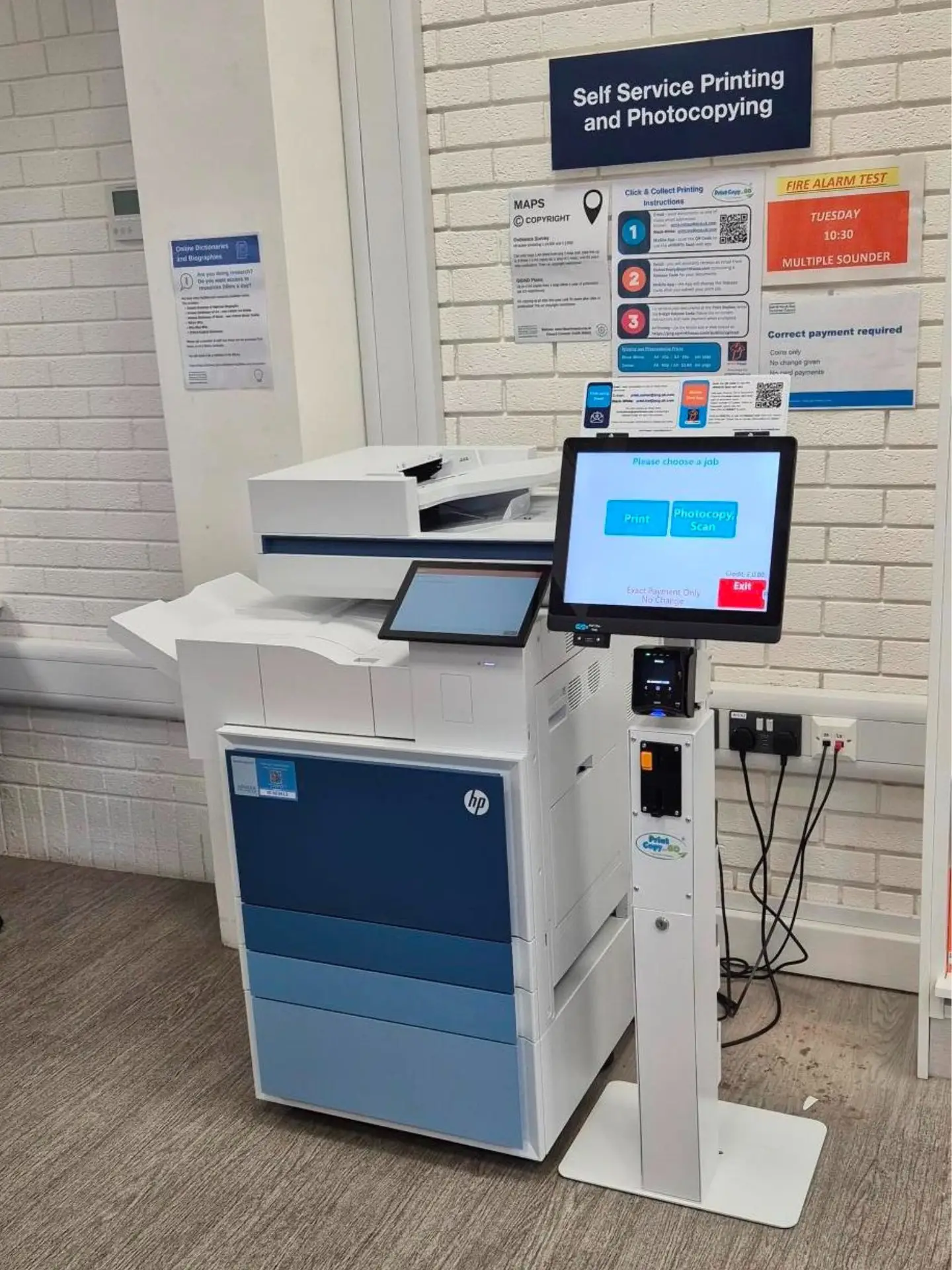




Self Service Print / Copy / Scan Kiosks – Powered by SurfBox

Bring modern, pay‑as‑you‑go printing to your library, school, or public space with SurfBox’s Print Copy & Go kiosks. Designed for institutions that value convenience, accessibility, and control, our kiosks provide a seamless, fully managed self‑service experience for users — and a reliable revenue source for you.

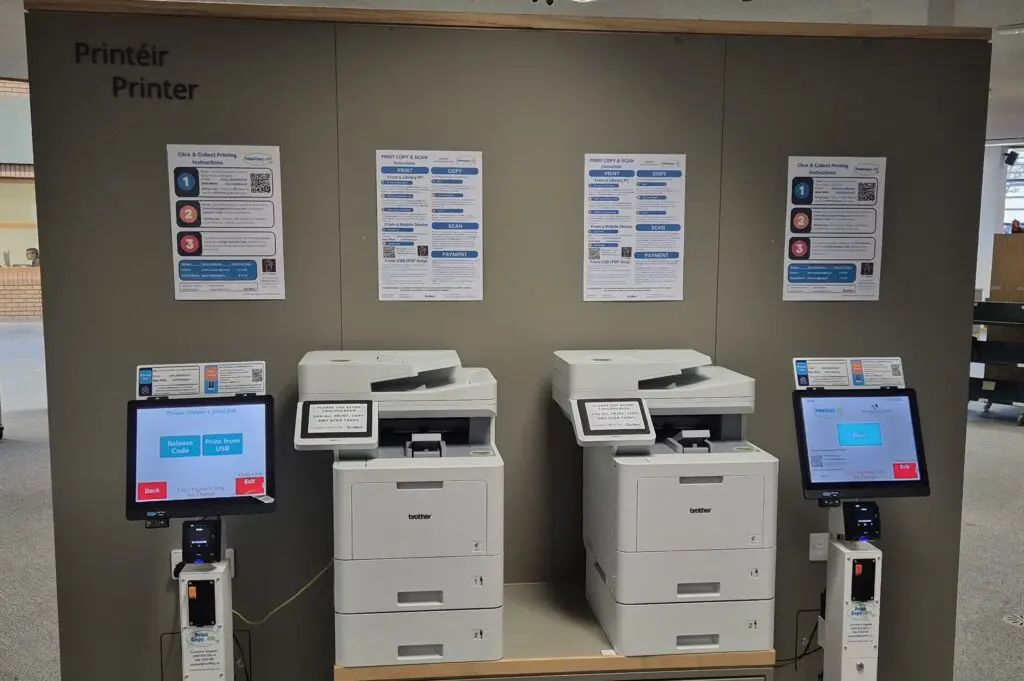
Works with all major MFP Printers

Why Choose SurfBox Kiosks and Software

Public facilities are expected to deliver more with fewer resources. SurfBox kiosks help you do exactly that — by automating printing, copying, and scanning, so staff can focus on what matters most.

Benefits at a Glance

Empower users

Empower users

Allow anyone to print, copy, or scan instantly — without staff assistance.

Generate revenue

Generate revenue

Introduce a self funding service or a new income stream for your facility.

Reduce workload

Reduce workload

Eliminate queue management and payment handling for staff.

Modern & inclusive

Modern & inclusive

Cloud and mobile printing, multilingual menus, wheelchair accessible design.
Flexible payments

Flexible payments

Accepts coins, notes, cards, and contactless payments.

Fully managed

Fully managed

Installation, remote monitoring, and servicing handled by SurfBox.

Feature Rich Software Application

Self-service ‘Pay as You Go’ printing / copying service for public locations. 

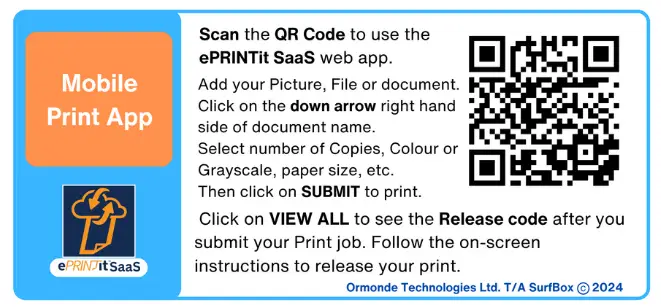
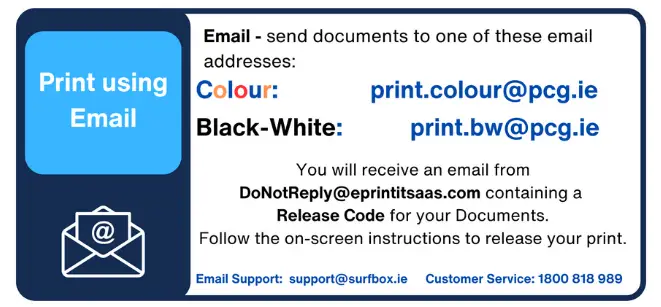
  • Print from  mobile devices – simply email the document of use the ePRINTit SaaS App , receive a privacy code to release the print .
  • Print from USB – Insert a USB drive and  select files to print.
  • Print and Copy in Colour or Black-White with dual pricing.
  • Full Copier functionality, single and double sided printing and copying, A4 and A3 paper size.
  • Scan to email or USB.  Can charge flat-rate charge per document.
  • Contactless card payment reader, allowing users to pay for their prints, with any credit or debit card or android or apple pay.
  • Depending on kiosk model , cash payment with note, coin and dispense change, or exact payment coin only.
0 %

Self Service Increases the number of pages printed and copied.

0 %

Ensuring shorter queues and happier customers.

How It Works

  • Send your document – Users can send files via email, web app or print directly from a PC.
  • Enter Release Code –Enter the release code, received by email or in the app, to release your print. 
  • Pay securely – via cash, card, or mobile payment.
  • Collect instantly – Prints release automatically at the kiosk.
  • Monitor and report – Institutions access detailed usage and revenue dashboards via the SurfBox admin portal.

Upload your document via Web App

Easy to upload a document or image using the ePRINTit SaaS web app. Send your Print and pay at the kiosk. 

Email Printing

Email you document or image for Black- White or Colour Printing. Easy, Fast and Reliable.

Kiosk Models and Options

SurfBox offers a full range of kiosk configurations to suit different environments and user volumes.

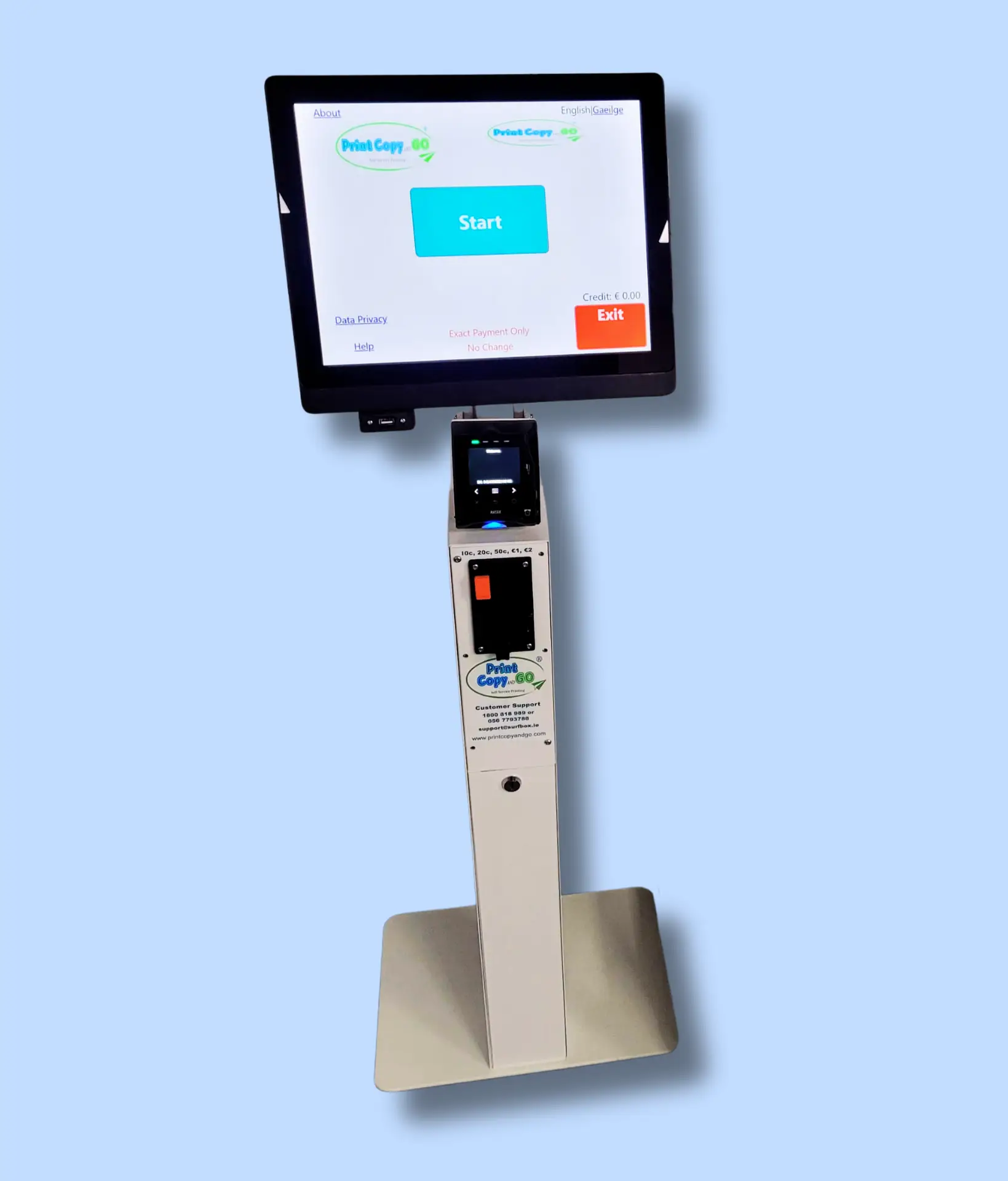
Card and Coin Payment Kiosk

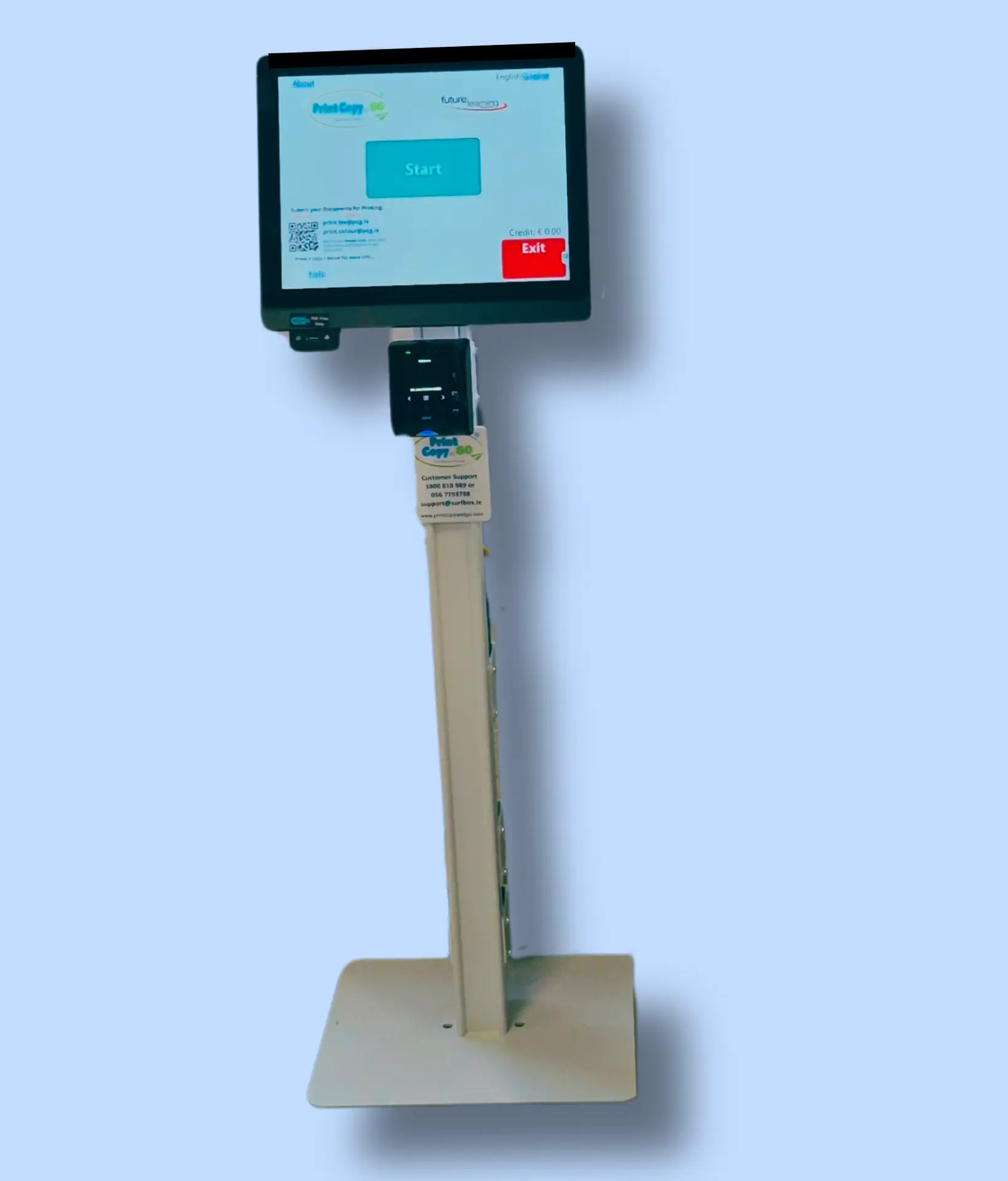
PCG-K200 Plus - 15" touchscreen all-in-one windows PC.  The kiosk Provides Contactless Card Payment and Coin Payment. 

PCG - K200 Plus

Contactless Card Payment Kiosk

PCG-K200 - 15" touchscreen all-in-one windows PC with Contactless card payment.

PCG - K200

Kiosk and MFP Printer

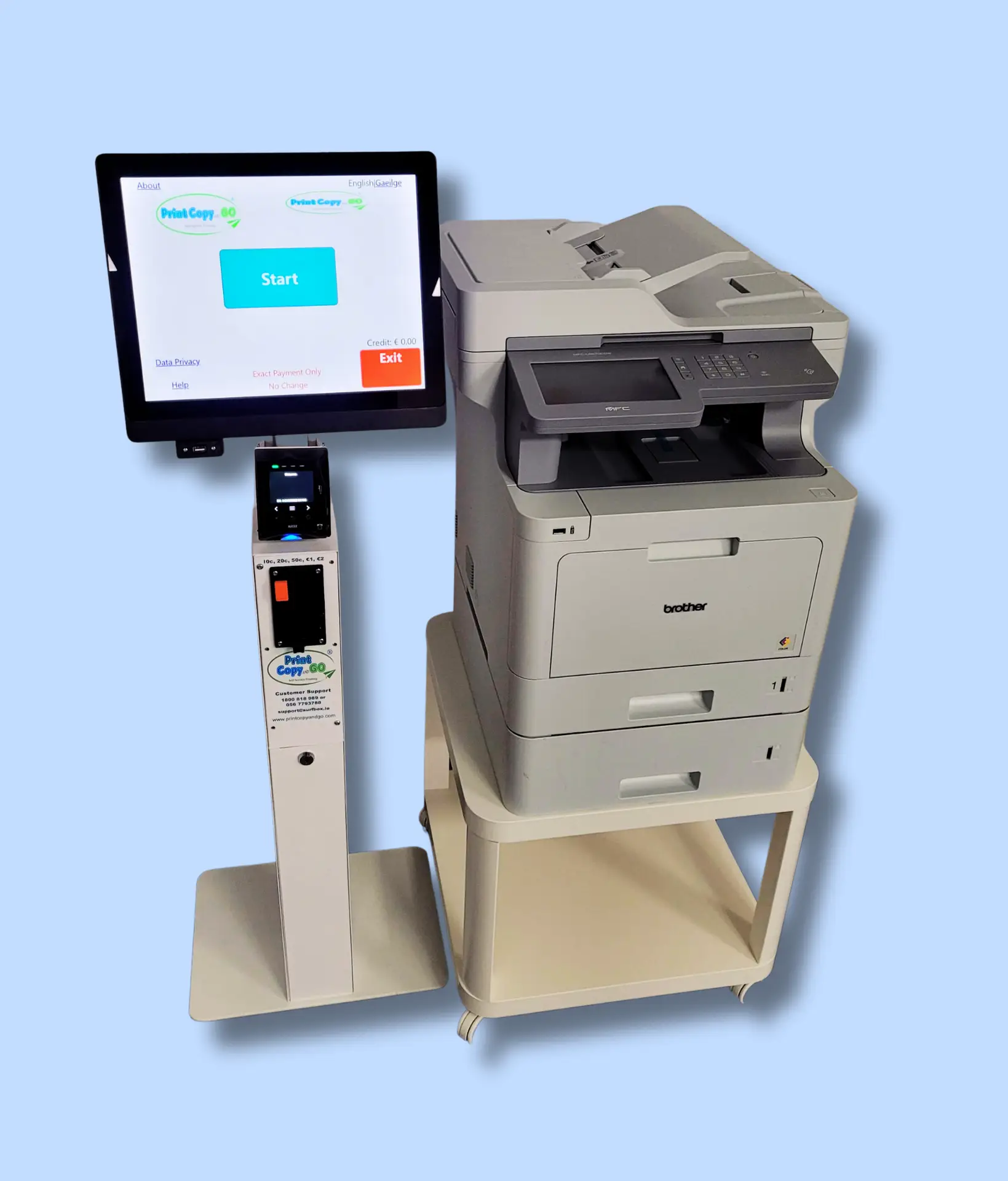
PCG-K300 - 15" touchscreen all-in-one windows PC with card and coin payment together with Brother MFP 9670 Printer.

PCG - K300

Deployment Models

We can support your business in multiple ways. We have 2 distinct business models for you to choose from.

Supply & Support

Ideal for organisations that want full ownership.

  • Purchase or lease the kiosk.

  • Annual software subscription and optional service contract.

  • Includes installation, staff training, and remote diagnostics.

Revenue Share / Outsourced

Perfect for institutions seeking a no‑cost, turnkey solution.

  • SurfBox supplies kiosk and Printer, software, and consumables.

  • We handle payments, servicing, and paper replenishment.

  • Your organisation receives a share of every print transaction.

Software & Services

We provide the highest standard of professional services. Ensuring 100% satisfaction from our Customers.

Software & Management Platform

Every SurfBox kiosk runs on our proprietary management platform — giving you complete visibility and control.

  • Central Dashboard: View usage, earnings, and device status in real time.

  • Custom Pricing: Set page costs and discounts per site.

  • Remote Updates: New features and security patches installed automatically.

  • Analytics & Reports: Track environmental impact, print volumes, and revenue trends.

  • Secure Payments: Fully PCI‑compliant payment processing.

Support & Maintenance

With SurfBox, you get end‑to‑end service and support.

  • Installation & Commissioning – Full setup and staff orientation.

  • Remote Monitoring – Proactive performance tracking and alerts.

  • Nationwide Servicing – Fast on‑site technician response.

  • Consumables Management – Toner, paper, and payment modules replenished automatically.

  • Continuous Improvement – Regular software and firmware enhancements.

Frequently asked questions

SurfBox kiosks are widely installed in public libraries, local council offices, universities, schools, shopping centres, and airports. They’re ideal anywhere users need quick, self-service access to print, copy, or scan documents securely.

Ready to Bring Self‑Service Printing to Your Institution?

Join hundreds of libraries, councils, and schools across Ireland and the UK who trust SurfBox for smart print solutions.

Download a copy of our brochure.

Request a demo.